Add your existing vendors to Purchaser to effortlessly track all your RFQs and manage your entire procurement network from one place. You can either import all your contacts and vendors at once and/or manually add them as needed.
We'll do the hard work for you by importing all your contacts and vendors for you so all you have to focus on is sending RFQs to them.
Email a spreadsheet of your contacts and vendors to founders@purchaser.ai and we'll notify you when they're ready and imported.
Vendors are how you centralize and organize all your contacts. Start by adding vendors to your network, or add contacts and assign them to vendors later.
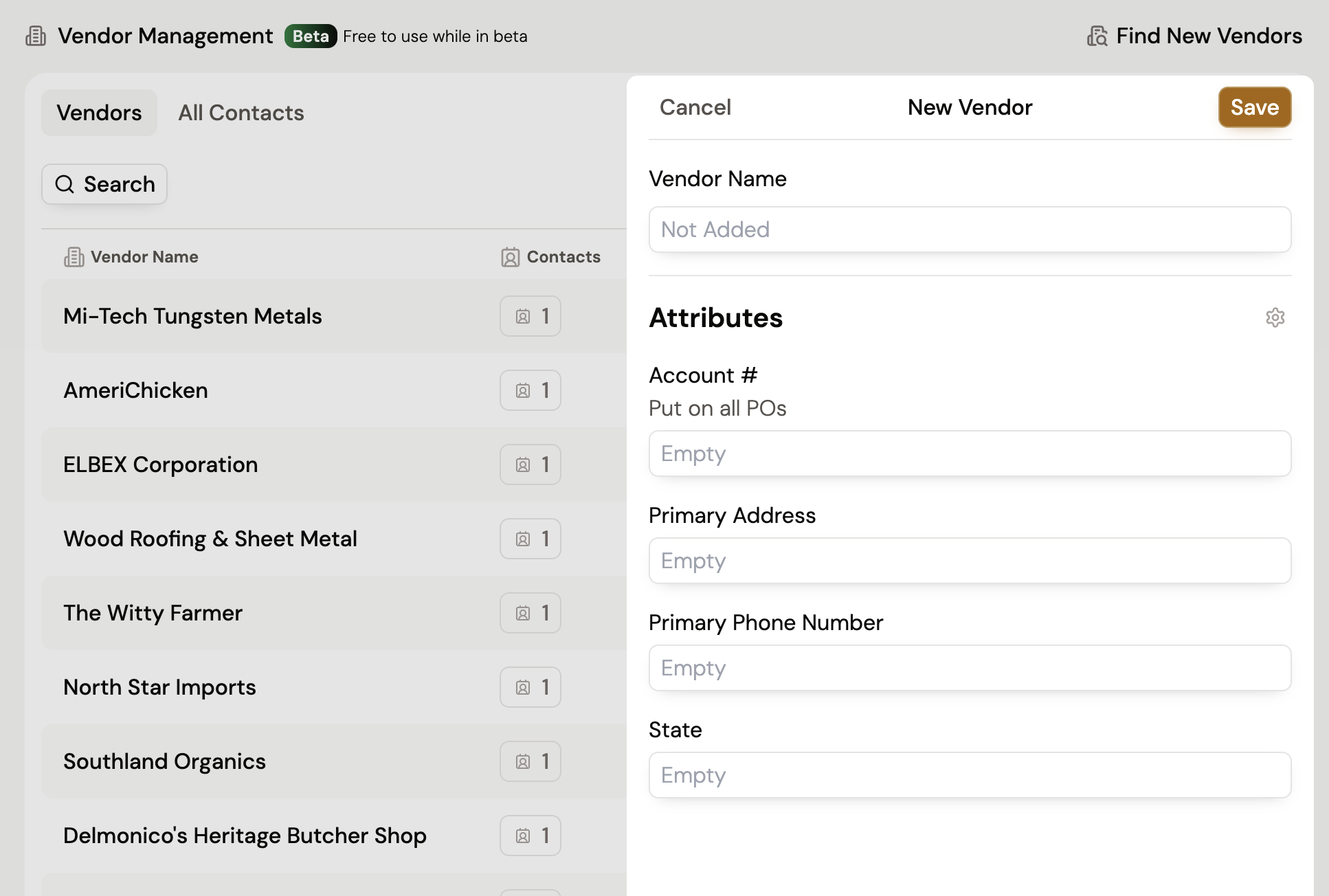
To add a vendor...
While only a name is required by default, you can add Custom Vendor Attributes to track the additional information you need, such as a description, industry, and more. To learn more about how to add custom attribute, go to Managing Vendor Attributes.
Additionally you can add documents to your vendors. These can include W9s, tax forms and more by selecting Add on the documents tab in each vendor. This could be anything you need for your records about this specific vendor.
Add contacts to your vendors to organize them by company, or add contacts first and assign them to vendors later.
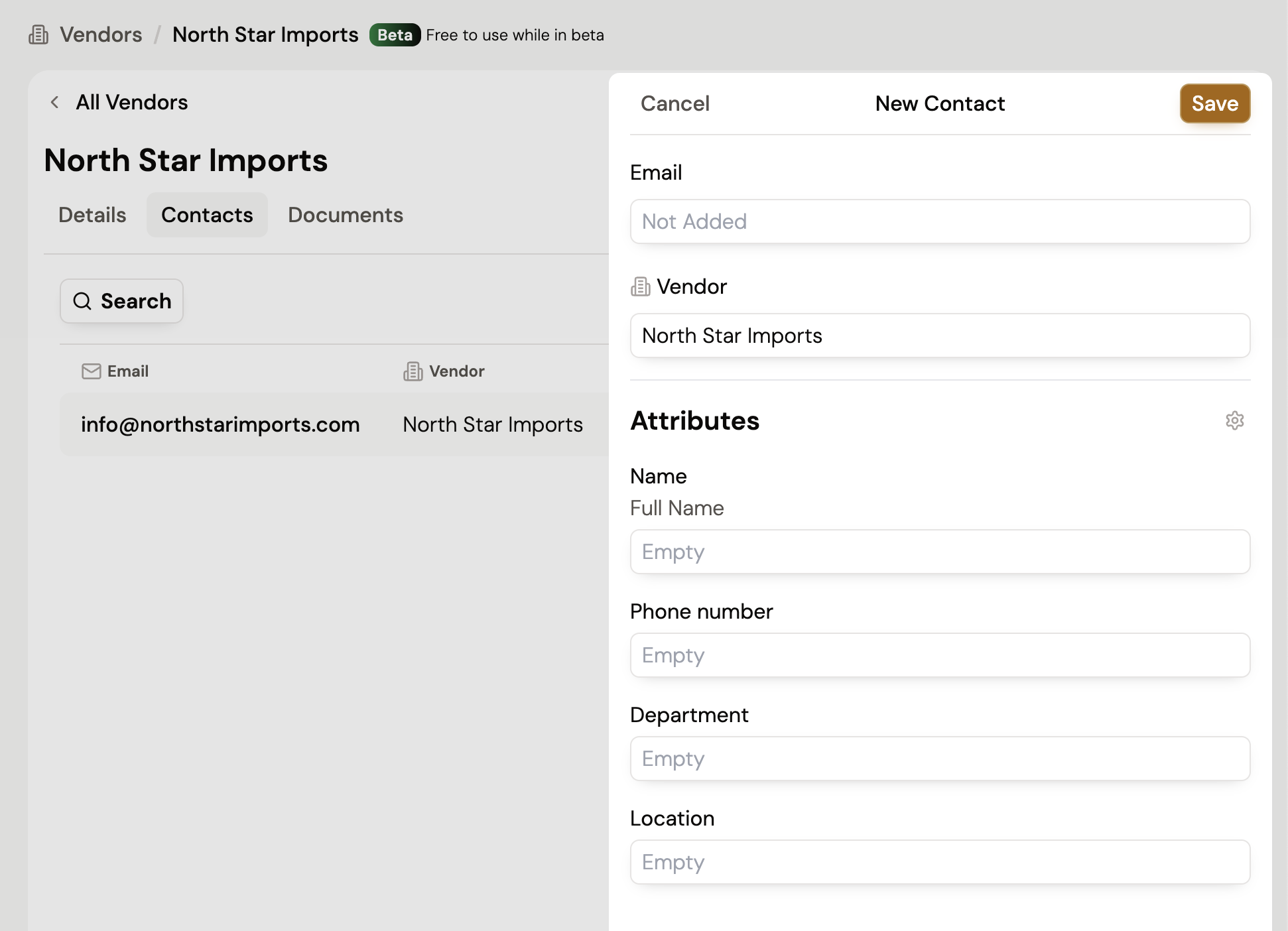
To add a contact...
While only an email is required by default, you can add Custom Contact Attributes to track additional information like their name, team, and other key details. To learn more about how to add custom attribute, go to Managing Vendor Attributes.
Once you have contacts, you can grouping contacts into custom lists based on industry, vendor type, or region in order to organize your contacts and easily send RFQs to specific lists. To learn more about how contact lists, go to out Manage Contact Lists guide.
Once you have contacts and vendors, you can quickly add them to existing RFQs or start a new RFQ from your vendor management. You can also add your saved contacts as recipients to your RFQs once you're ready to send them.
To learn more about our vendor management capabilities, visit our other guides.
Still got questions? Contact Us or Book a Demo to learn more about how Purchaser can fit into your workflow.
